 Foundry
Fast and lightweight
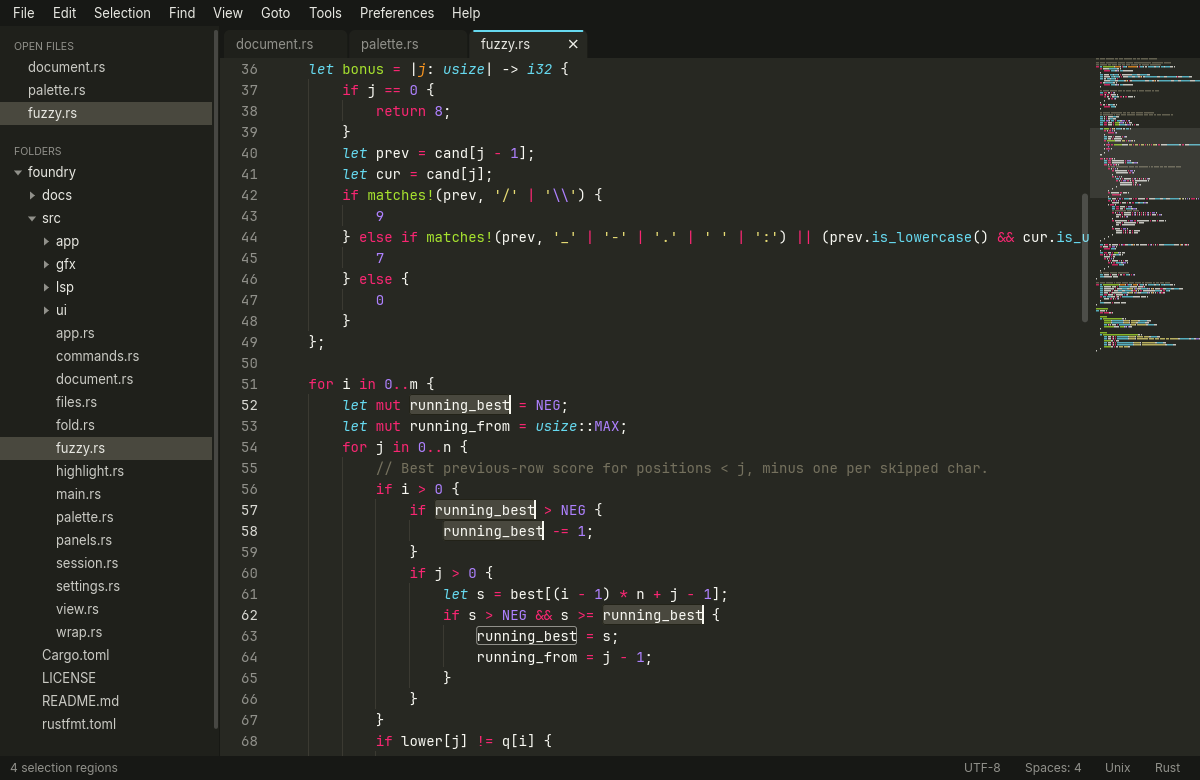
A native binary with a GPU-rendered interface. It starts instantly, redraws only when something changes, and re-highlights just the lines you edit, so big files stay smooth.

Foundry is a fast, keyboard-first editor written in Rust. Multiple cursors, Goto Anything, a command palette and language servers, with the feel of Sublime Text, as a single native app.
Windows, macOS and Linux. Free and open source under Apache-2.0.
Features
Foundry does the things a code editor should do, and does them quickly. No plugins to hunt down, no Electron, no waiting.
A native binary with a GPU-rendered interface. It starts instantly, redraws only when something changes, and re-highlights just the lines you edit, so big files stay smooth.
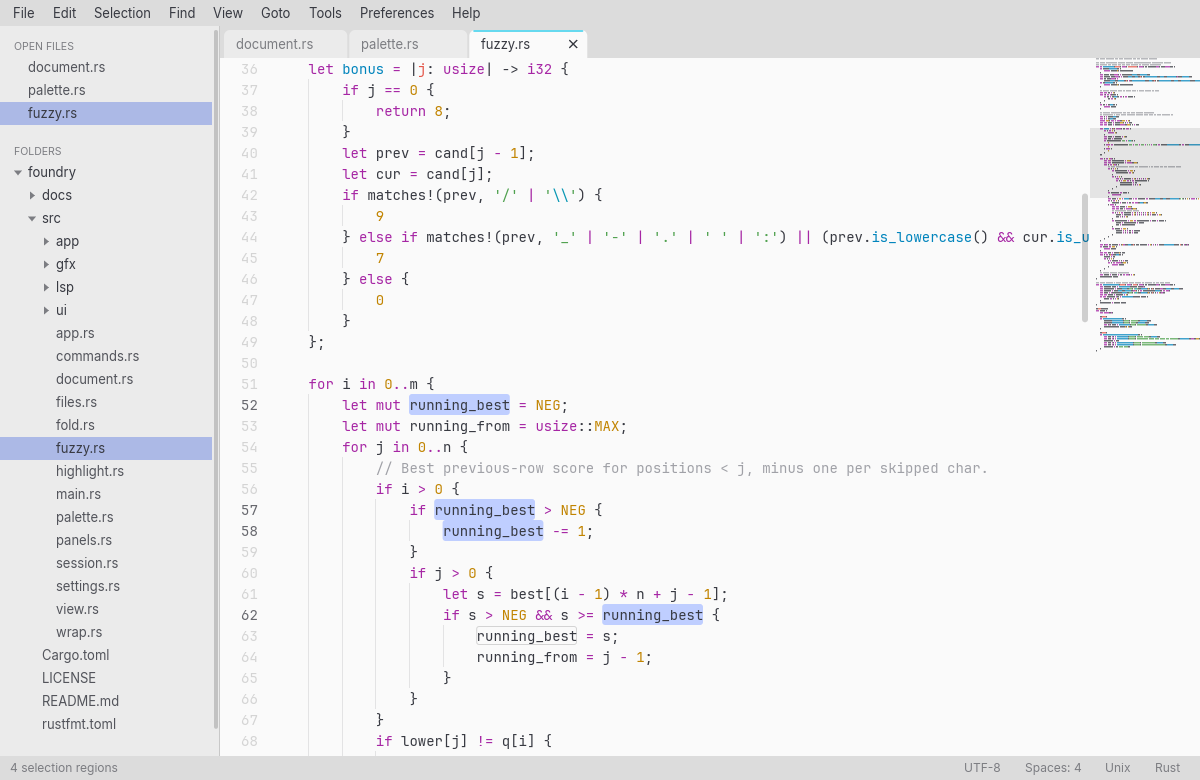
Select the next occurrence, all occurrences, split a selection into lines, drag a column, or add carets anywhere. Every edit applies to all of them at once.
Fuzzy-find any file, jump to a line with :42 or to a symbol with @name, and run any command from the palette, with its shortcut shown.
Completion with documentation, hover, signature help, go to definition and references, rename, formatting and code actions through the Language Server Protocol. Foundry finds the servers you have installed and starts them on its own.
Errors and warnings are underlined in the text, marked in the gutter and listed in a Problems panel you can jump through with F8. Quick fixes are one keystroke away.
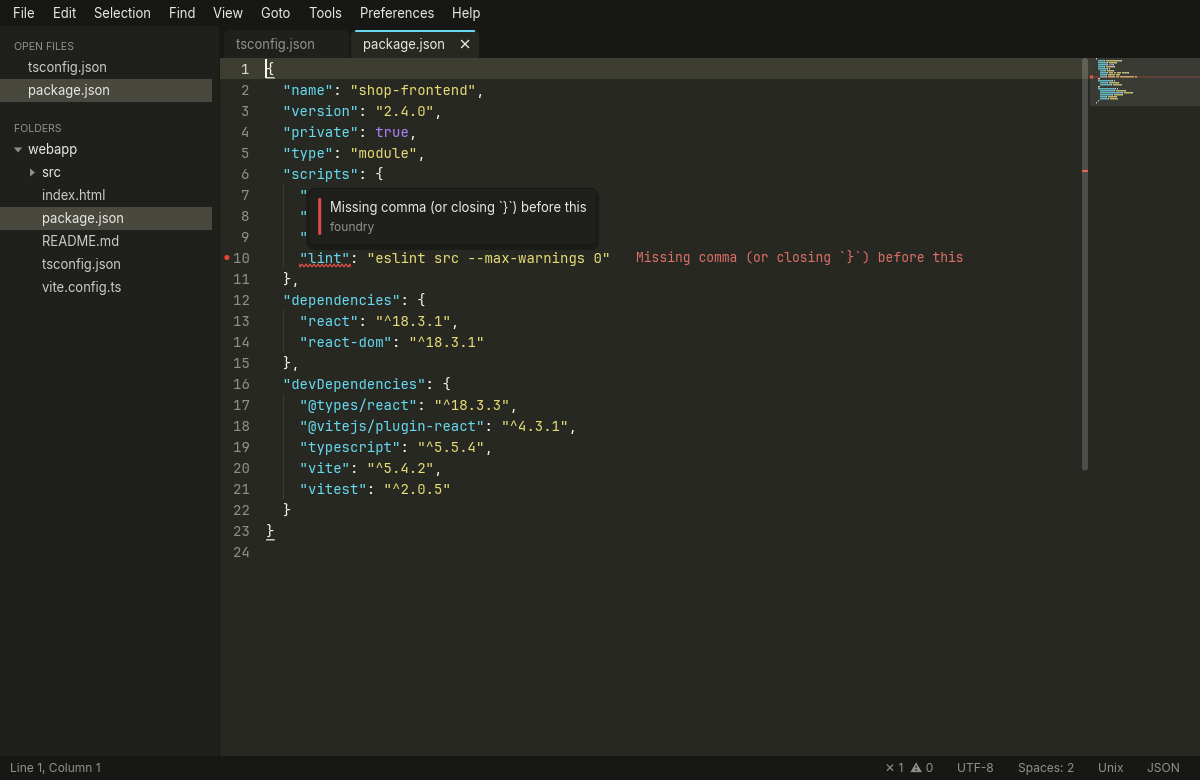
JSON and TOML files are checked as you type, with errors underlined and listed, without installing anything.
Work in two, three or four columns, rows or a grid of editor groups, drag tabs between them, and open a second view of the same file. The layout comes back when you restart.
A terminal panel under the editor, one Ctrl ` away, with tabs for zsh, bash, fish, Nushell, PowerShell, Command Prompt, Git Bash or WSL. Full-screen programs, colors and the mouse all work.
Sublime Text syntax definitions cover everything from Rust and TypeScript to PowerShell, Terraform, Nix, Zig and LaTeX, with 30 color schemes and support for your own .tmTheme files.
Search with regular expressions and capture groups, replace one match or all of them, and search whole folders with Find in Files. Results open in a tab you can edit and save.
Fold by indentation level with the keyboard or a click in the gutter. Folds follow your edits and are remembered the next time you open the file.
Quit whenever you like. Open files, folders and even unsaved changes are back exactly as you left them, and are saved every minute in case of a crash.
Direct3D 12, Metal, Vulkan or OpenGL, whichever your system has. Installers for Windows and macOS, .deb and tarballs for Linux, on x86_64 and ARM.
In use
Press Ctrl Shift P and type what you want to do. Matching letters are highlighted, and each command shows its key binding, so you learn the shortcuts as you go.
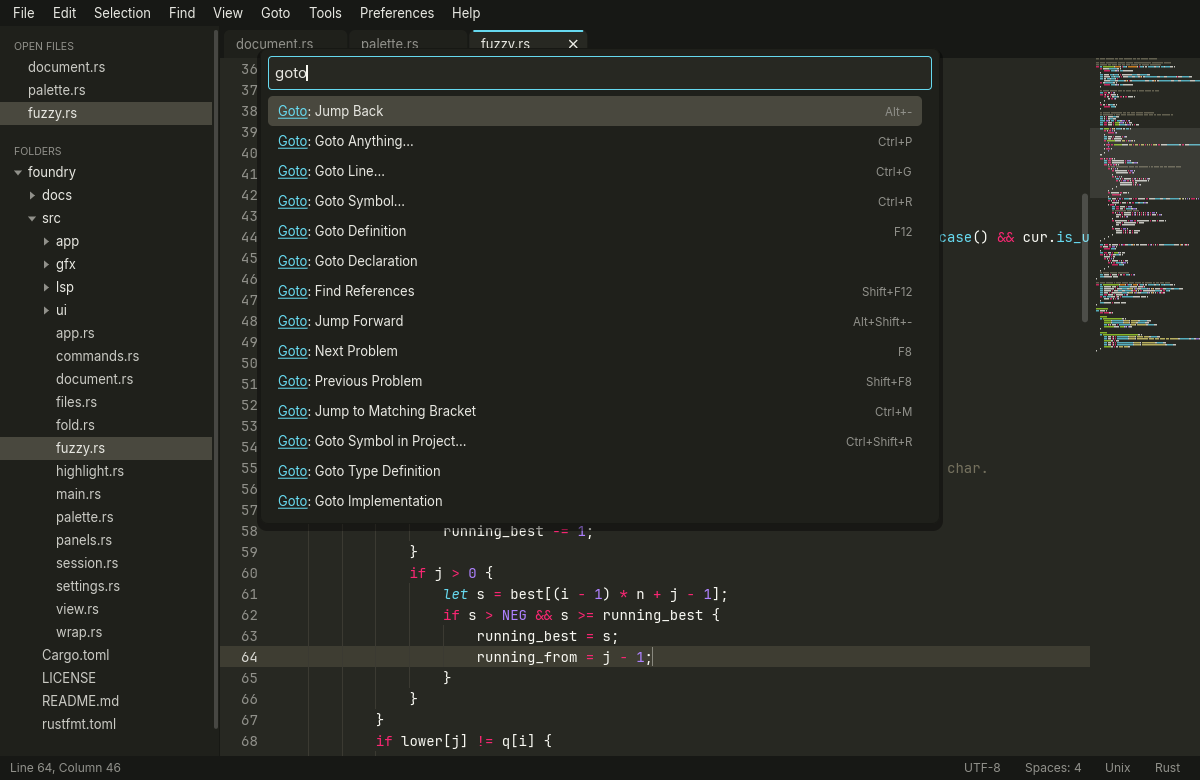
Goto Anything searches the files in your open tabs and project folders with fuzzy matching. Add :120 to open a file at a line, or type @ to go to a function or type in the current file.
node_modules and target stay out of the way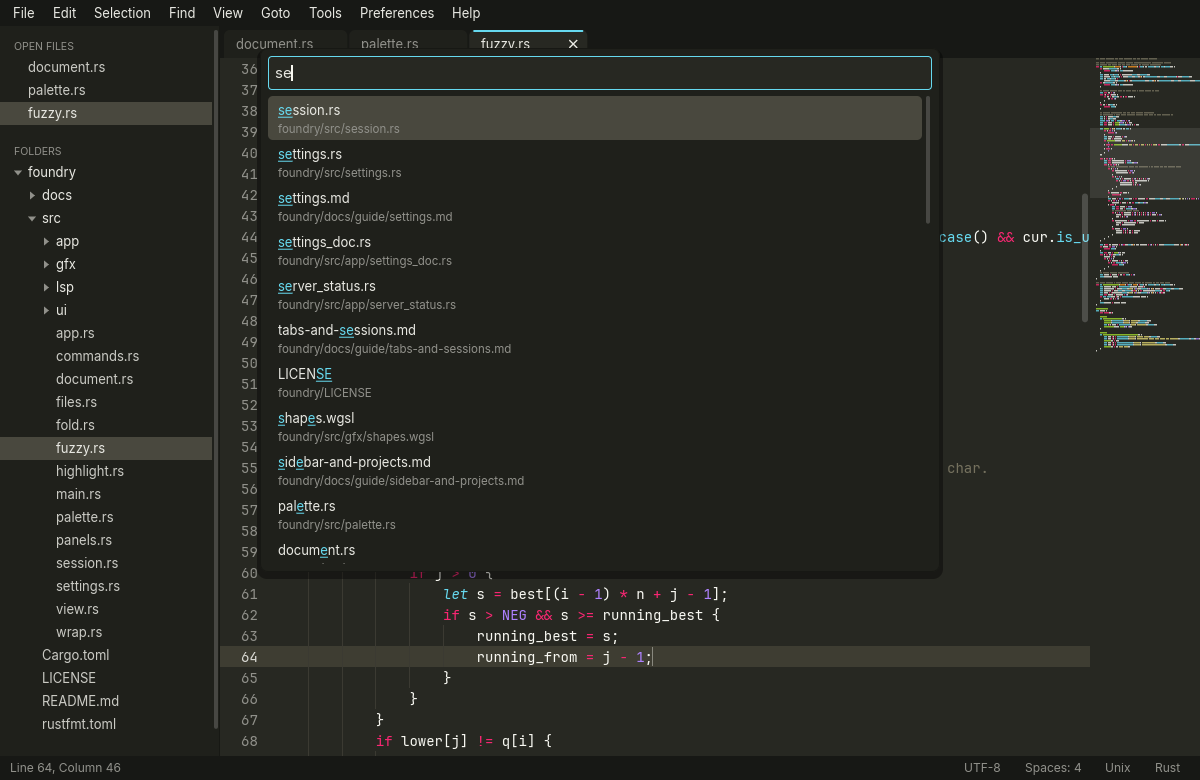
Pick a layout with Alt Shift 3 and put files next to each other. Each group has its own tabs, and the side bar lists the open files by group.
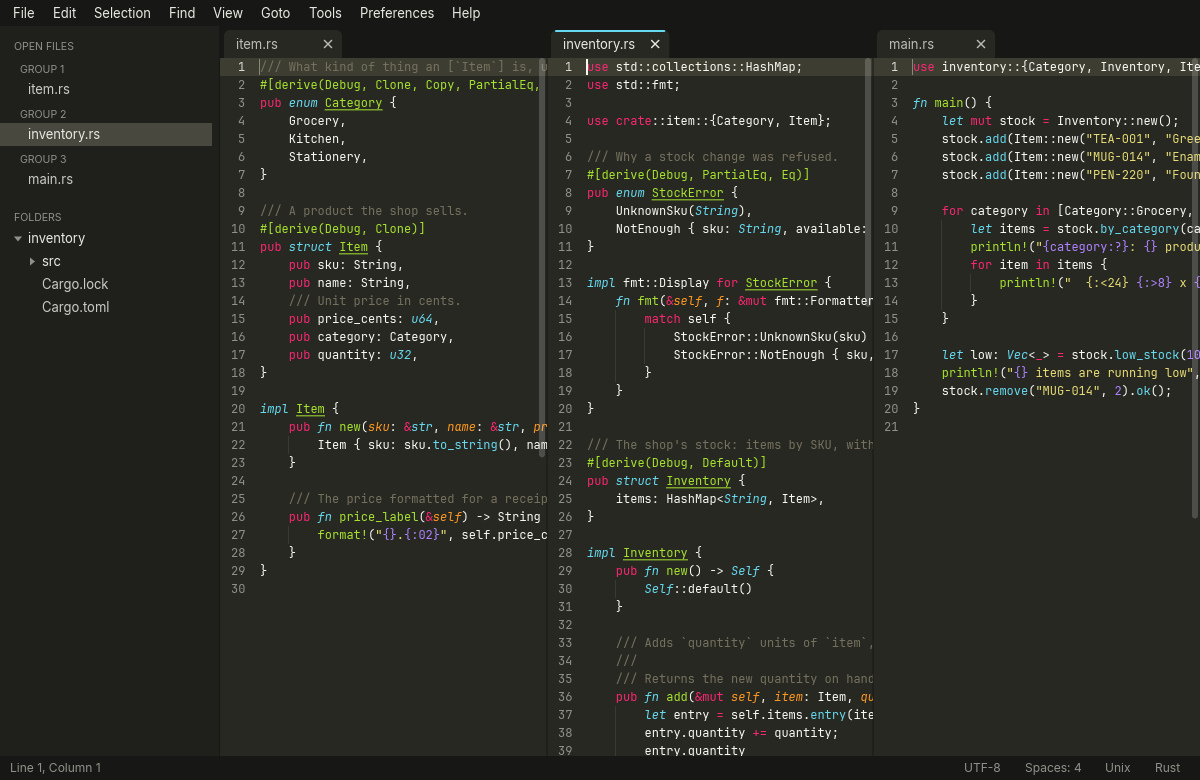
Foundry reads standard .tmTheme color schemes, so the editor, side bar, tabs and menus all follow the scheme you pick. Switch with a live preview from the command palette.
Code intelligence
Foundry speaks the Language Server Protocol, so the servers you use in other editors work here too. Nothing is bundled and nothing is downloaded for you.
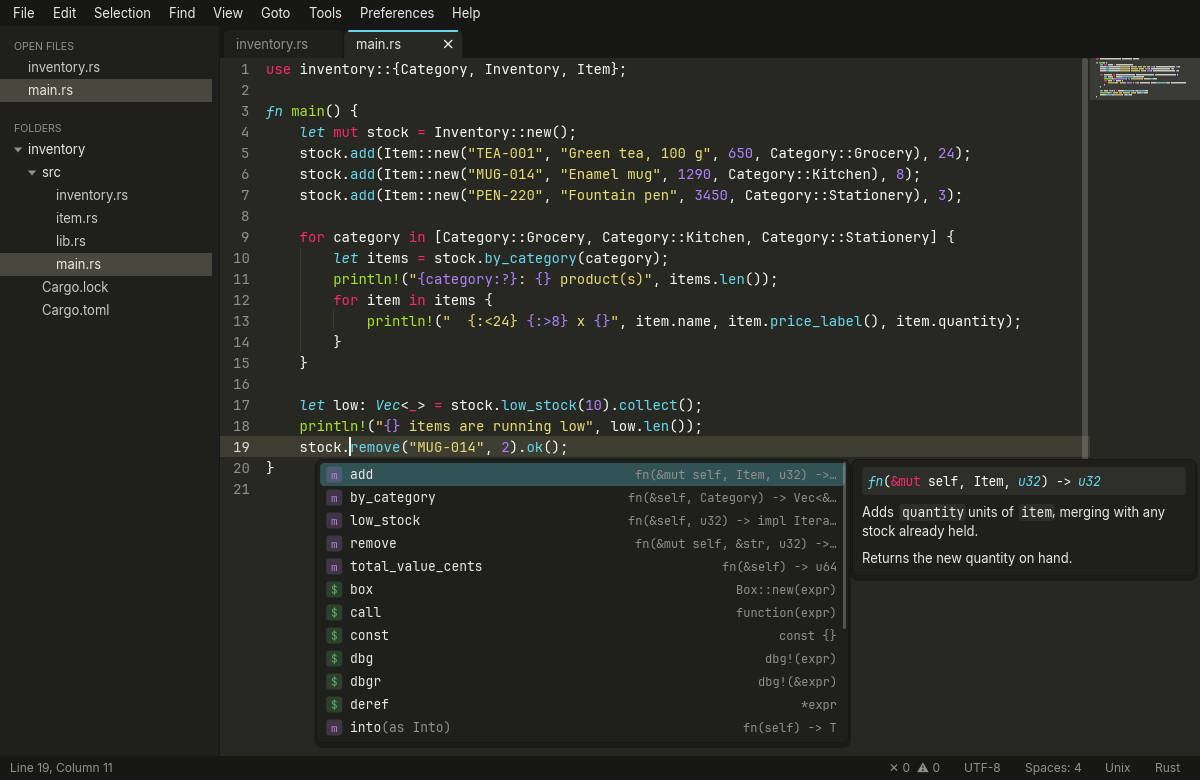
Suggestions open as you type, with the signature of each item and its documentation beside the list. Snippets, auto-imports and words from your open files are included.
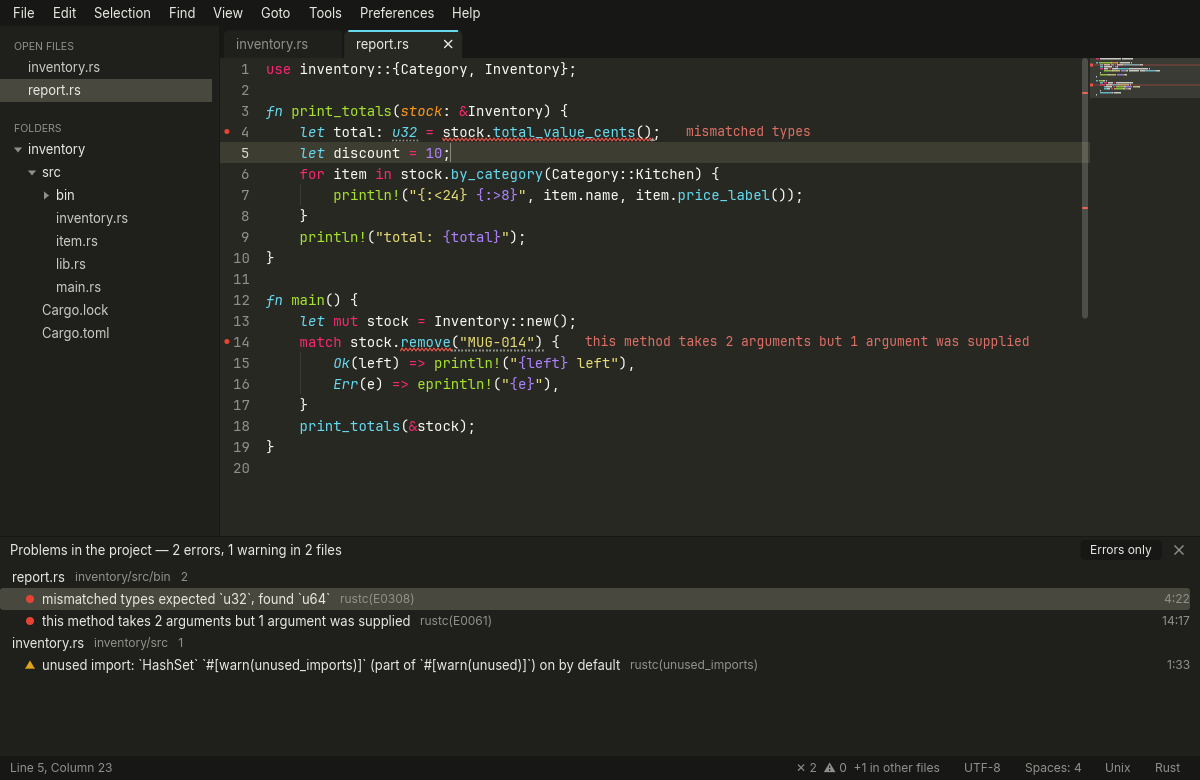
Errors and warnings are underlined, marked in the gutter and written after the line. The Problems panel lists them by file; jump to the next one with F8.
JSON and TOML are checked by Foundry itself, with no server to install. A missing comma is underlined and explained in plain words.
Keyboard first
Foundry's default key map follows Sublime Text, including two-key chords. On macOS, Ctrl is Cmd for the most part.
There are many more; see the key bindings reference.
Languages
Foundry has ready-made configurations for these language servers. Install the ones you use; Foundry finds them on your PATH and starts them when you open a matching file. It never downloads anything behind your back, and you can override or turn off any server in settings.json.
Plus syntax highlighting for 190+ languages and file formats. Read about language support.
Download
Every release is on GitHub with a SHA256SUMS file. The builds are not code-signed yet, so Windows and macOS ask you to confirm the first launch; the install guide shows how.
Windows 10 and 11
Per-user installer without administrator rights, with optional Explorer context menu and PATH entry. x64.
macOS 11 or later
One .dmg for Apple silicon and Intel. Drag Foundry to Applications.
Linux
.deb and tarballPackages for Debian, Ubuntu and derivatives, and a tarball with an install script for other distributions. x86_64 and aarch64.
Download for LinuxPrefer to build it yourself? cargo build --release. See Contributing.
Open source
Foundry is built in the open, with no telemetry and no accounts. Read the code, report a bug, suggest a feature or send a pull request.